 ChiefGyk3D
Why I rotate keys, and why a secrets manager makes it routine
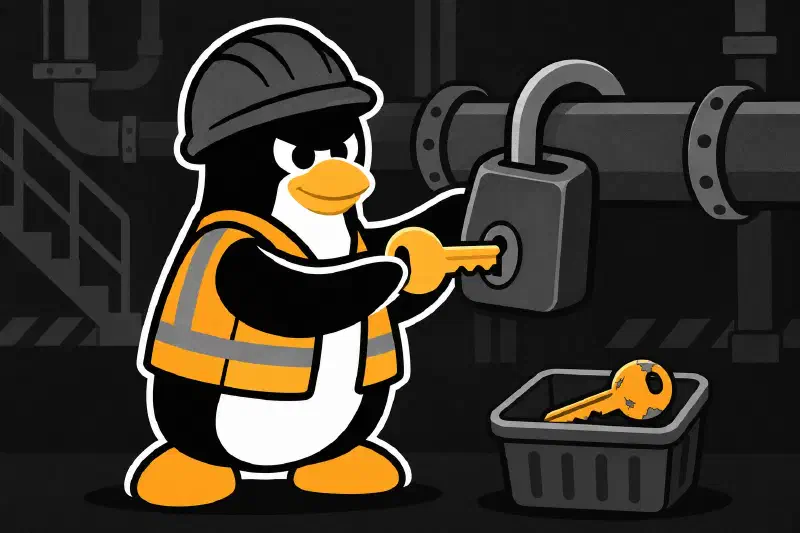
On November 27, 2026, an AI agent ran a Doppler command that printed other stored secret values into the chat. Two credentials were exposed. I rotated both of them, pasted the replacements into Doppler, and that was the entire incident response. It was annoying, and the AI fucked up bad, but the actual damage was limited because the credentials lived in one managed place instead of being scattered through files, shell history, CI settings, and whatever random configuration I would have forgotten existed.
The AI agent made a bad assumption
The command was supposed to change something in Doppler. The agent had read only the beginning of the help text and assumed the command would not print sensitive output.
That assumption was wrong.
After making the change, the command printed other secrets that were still stored in the config, including their values. Those values went directly into the chat and its session log. Once a credential appears somewhere it does not belong, I consider it exposed. It does not matter whether I think anybody else saw it. It does not matter whether the chat is private. It does not matter whether the service claims not to train on the data.
The credentials had to be rotated.
This was not even the first time a rotated token had printed into a chat. It has happened before, which makes the lesson especially clear: AI agents are perfectly capable of making the same class of mistake more than once.
They can read a command incorrectly. They can miss an important warning buried farther down a help page. They can make a confident assumption about what a tool will output. They can also run a technically valid command that does exactly what the software was designed to do while still creating a security incident in the context where it was run.
AI can fuck up bad.
Luckily, this one was more of an annoyance than a catastrophe.
Most credentials leak through ordinary mistakes
Most keys do not leak because somebody performed some elite hacker magic. They leak because a command printed too much, a screenshot included the wrong window, somebody pasted one into chat, or an old CI run kept output nobody remembered was there.
That is the annoying part about credential security. The failures are usually boring.
A key ends up in a log because debug output was enabled. Somebody shares a screenshot while troubleshooting and does not notice the value in the corner. A laptop disappears. A person leaves, but something they used still works. An old automation run keeps its output much longer than anyone expected.
None of this requires an attacker to break cryptography. It only requires one ordinary mistake and enough time for somebody else to find it.
Rotation changes what that mistake means.
If a leaked key remains valid indefinitely, the useful lifetime of the leak is also indefinite. You can remove it after discovering the problem, but that assumes you discover it. Plenty of exposed credentials are found late, and some are probably never found by the owner at all.
A regularly rotated key gives the leak a bounded window. The exposed value stops working when it is replaced, even if nobody noticed where it escaped. Rotation does not make the leak harmless, but it turns an open-ended problem into a temporary one.
That is why short-lived credentials beat long-lived credentials wherever the vendor supports them. A credential that expires quickly gives an attacker less time to use it, and it gives me less stale access to remember later. Long-lived credentials are convenient right up until everyone forgets where they were copied.
Rotation was the fix
Once I knew the two credentials were exposed, I did not have to search through a dozen repositories for copies. I did not have to remember which shell profile contained an export. I did not have to dig through every CI platform, deployment script, compose file, and local configuration to figure out where I had pasted the old values.
I rotated both credentials at their providers and pasted the replacements into Doppler.
That was it.
The applications consuming those secrets already expected to receive them through the managed configuration. The old credentials could be invalidated, the replacements could take their place, and I did not have to rewrite the applications or manually replace the same value across a pile of unrelated systems.
This is the part of secrets management that people tend to miss.
A secrets manager is not valuable only because it stores a value somewhere safer than a plaintext file. The bigger operational benefit is that it gives you one controlled place to replace that value when something inevitably goes wrong.
You should still prevent leaks. You should still scope credentials properly. You should still keep secrets out of logs. But security cannot depend on every person, script, tool, and AI agent behaving perfectly forever.
Something will eventually screw up.
The question is whether that mistake creates a contained rotation task or an archaeological expedition through every place a credential might have been copied.
Scattered secrets create scattered incident response
Without a secrets manager, credentials have a habit of spreading.
One starts in a local environment file. Then somebody needs it in CI, so it gets pasted into the repository settings. A development script needs it, so another copy ends up in a shell profile. A container needs it, so it appears in a compose override. Somebody is troubleshooting and passes it as a command argument. Another person creates a second copy because they cannot find the first one.
None of this requires anybody to be careless or malicious. It happens because copying a value is the fastest way to make the immediate problem disappear.
But every copy becomes part of the blast radius.
If that credential leaks, rotation is no longer just creating a replacement. You have to find every consumer, update every copy, confirm that none were missed, and then verify that everything still works. If you forget one location, something breaks later. If you forget that an old copy exists in a log, artifact, or repository history, the credential may remain exposed even after the application starts using its replacement.
Loose copies are how forgotten access survives.
I use Doppler as my secrets manager. This is not an advertisement. It is simply the tool I use to keep credentials in one controlled place instead of scattering them across loose files, shell history, CI settings, and whatever temporary note seemed convenient at the time.
When applications read credentials from one source at run time, there are fewer places to update during rotation and fewer stale values waiting to surprise me later. It also becomes much easier to answer the question that matters during an incident: where could this credential have gone?
The answer should never include chat, a ticket, or a command that echoed it into a terminal.
Do not paste a secret into a conversation so somebody can “help troubleshoot.” Do not put one in an issue and delete it afterward. Do not pass one through a command that prints its arguments or enables verbose tracing. Deletion is not a time machine, and logs have an impressive ability to outlive the reason they were created.
If a key does appear somewhere it should not, rotate it. Do not argue with yourself about whether anyone saw it. Do not spend hours trying to prove a negative while the exposed value remains valid. Replace it, verify the real path still works, and then investigate how it escaped.
One project per product
Using a secrets manager does not help much if the secrets manager itself becomes a junk drawer.
My standard is one Doppler project per product. Each product gets a dev environment and a prd environment. I add stg only when the product actually needs a staging tier. Within those environments, I can have multiple configs for different components or purposes.
That structure matters because development credentials and production credentials should not be treated as interchangeable.
New work starts in dev. It does not touch prd merely because production is the eventual destination. Production comes later, after the product is actually live and I have made the decision to promote it.
Starting in development limits the consequences of build-time churn. New workflows change. Permissions get adjusted. Integrations get replaced. AI agents try commands they have not fully understood. I would rather discover those problems against development credentials than production credentials.
Access is scoped the same way. A CI identity gets access to the environment and config it actually needs, not the entire workplace and not every secret for the product. A deployment identity does not need the credentials used by some unrelated background task. Development access does not automatically include production.
Least privilege is not only about making an attacker’s job harder. It also limits what a buggy script or confused AI agent can expose.
If an identity can read ten secrets, one bad command might print ten secrets. If it can read only the two required for its job, the same failure has a much smaller ceiling.
One key should do one job
Rotation limits how long a leaked credential works. Least privilege limits what it can do during that time.
A deployment job does not need every permission a vendor offers. It needs the permissions required to deploy. A read-only task does not need write access just because granting broad access is faster. And a credential used by one application should not quietly become the shared master credential for five unrelated jobs.
This is where I challenge defaults and recommendations. If a tool asks for broad access, I want to know why. If the answer is convenience, that is not good enough.
A useful test is simple: reduce the permissions, then run the real path. Do not stop after a settings page accepts the change. Run the actual deployment or operation the credential exists to perform. If it succeeds, the smaller permission set is evidence. If it fails, the failure shows which ability was really missing.
An opinion about least privilege is nice. A passing run with reduced permissions is better.
Applications receive secrets through the environment
My applications should not contain secret values in their repositories. They should not accept secrets as command-line arguments where those values can be captured in process listings or logs. They should not print them for debugging. Configuration can name the Doppler project or config being used, but the secret itself does not belong there.
The application receives the value through an environment variable.
For local use, that environment variable can already be present. When Doppler is configured, Doppler can provide it. This keeps the application from caring whether a developer supplied a temporary local value or an authorized workload retrieved the managed value.
The important part is that the code asks for a name, not a hardcoded credential.
CI follows the same principle. A dedicated identity receives only the access required for its purpose and tier. Where supported, short-lived identity federation is preferable to stuffing another long-lived service token into CI just so CI can retrieve the rest of the secrets.
Otherwise, I have created a secret to protect my secrets and pasted that into another system. That can be necessary in some environments, but it should not be the automatic design.
Rotation should not mean downtime
The obvious objection is that replacing a key can break whatever depends on it. If the old value stops working before the new one reaches the application, requests fail and somebody gets to spend their evening discovering which tiny piece of automation was apparently holding civilization together.
For services that support rotating credential pairs, the safer pattern uses a pair.
Both members of the pair are valid during the handoff. One is active while the other is ready to replace it. The new value becomes available before the old one is disabled, and the application starts using the replacement while the previous value remains valid for a grace period.
Then their roles swap on the next rotation.
That overlap matters because a credential change is not one instant event. A new value has to be created, stored, delivered, loaded, and used successfully. Treating that entire path as atomic is wishful thinking. The overlap gives every part of the system time to catch up without leaving a gap where neither value works.
It also makes rotation boring, which is exactly what I want from security infrastructure. If rotating a credential is a dramatic maintenance event, people will avoid doing it. If it happens routinely and the application keeps working, it becomes part of operating the service.
Not every credential needs that machinery. A temporary key created for one job and deleted the same day is different from a credential expected to support deployments for months. The management should match the lifetime and use of the credential.
A secrets manager does not make bad commands safe
Doppler did not prevent this incident. In this case, a Doppler command was the thing that printed the values.
That does not make the secrets manager pointless. It means the secrets manager is part of the system and has to be operated carefully like everything else.
The agent’s mistake was assuming it understood the command after reading only part of the help. The rule now is simple: read the full help first, including the examples and every relevant flag. Any command that might display secret values has its output redirected away from the chat, terminal transcript, or other retained output. A script handling secrets should discard output that the operator does not explicitly need.
I also treat commands that modify a config as potentially value-printing until I have verified otherwise.
That is not paranoia. I now have evidence that a command which sounded harmless in context could print the remaining values after completing its requested operation.
The safe assumption is that secret-management tooling may return secrets unless I have confirmed that a specific operation returns names or metadata only.
And if a value appears in output anyway, I do not debate whether the exposure is probably fine. I rotate it.
The real value appears on the bad day
On a normal day, a secrets manager can feel like extra ceremony.
You have projects, environments, configs, service identities, permissions, and deployment integration to maintain. Pasting a token into a file is faster. Adding it directly to CI is easier. Exporting it in a shell works immediately.
Then an AI agent prints two credentials into a chat.
That is when the difference becomes obvious.
Because those credentials were managed centrally, I knew where the replacements belonged. Because the applications consumed named secrets instead of embedding values, I did not need to hunt through their code. Because access could be scoped by environment and config, the incident was limited to what that context could reach. Because rotation was already an expected operation, replacing the credentials was routine.
The agent still made a serious mistake. Centralizing secrets did not erase the mistake, and it did not excuse the agent from failing to read the full help before running the command.
It changed the cleanup from “find every place these credentials may exist” to “rotate two credentials and paste the replacements into Doppler.”
Rotation is not a substitute for preventing leaks. It is the control that keeps one boring mistake from becoming permanent access. A secrets manager is what makes that rotation routine.